ASPL Installation Guide v 1.00
© 2025 Bassem W. Jamaleddine
Users using the ASPL calculator can share the ASPL containment for the GG-functions and the grouping classes. However each user has his or her own workspace. This means that objects defined in their namespaces are not shared. This capability is only available in ASPL Entreprise where sessions management can be enabled.
This document shows how to add the userid nancy so that she can share the ASPL containment of the userid rusty.
In the previous chapter, we showed how userid rusty installed ASPL as itype 3, called SHARED MASTER installation. Recall that rusty installed ASPL in the shared directory /opt/rusty which has group gid rusty. The group gid for /opt/rusty was set to rusty.
# chgrp rusty /opt/rusty
In this chapter, the user nancy will install the product as a secondary owner of the distribution: her installation is called SHARED SLAVE installation.
Create the userid nancy whose group gid is rusty.
# adduser -g rusty nancy
# su - nancy
# cd /home/rusty/asplsignedent
# perl asplinstall -foruid nancy -forgid rusty -homedir /home/nancy -shareddir /opt/rusty -asplver ASPLv1.00 -itype 31 -gpg
This document consists of eight figures detailing the installation procedure for the user nancy as a SHARED SLAVE installer,
■ Install ASPL Enterprise as a SHARED SLAVE for nancy
In this section we show in details how to add nancy as a SHARED SLAVE to use rusty ASPL installation (that we showed in the previous chapter see SECTION 5.1.1 [How-to Install ASPL for Sharing: Master User]
We login as the user nancy and change directory to /home/rusty/asplsignedent. We will run the installer from the directory where rusty already downloaded and installed the ASPL distribution.
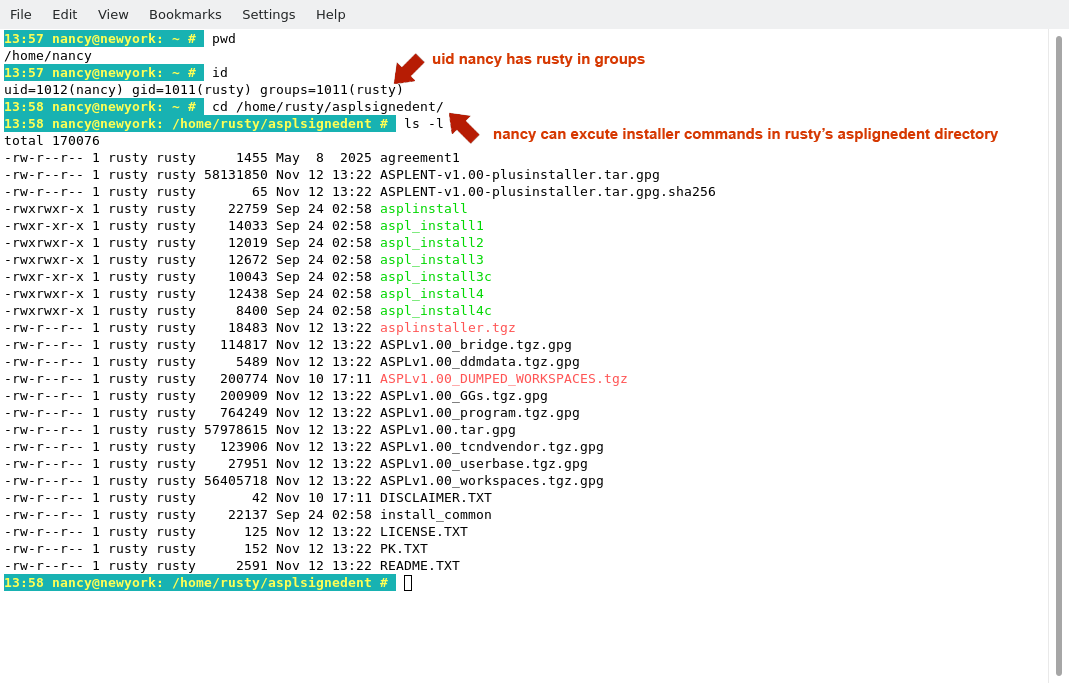
We will install ASPL for userid nancy; however, since ASPL distribution has been registered to the userid rusty, then we need to use rusty's binding email and asset key while installing the software. From the README.TXT file, we do not need to use any command, since the product has already been extrated by rusty. We only need the EMAIL and the ASSET KEY that we will enter when we invoke the installer.
The following figure show the README.TXT and the two entries for the EMAIL and the ASSET KEY.
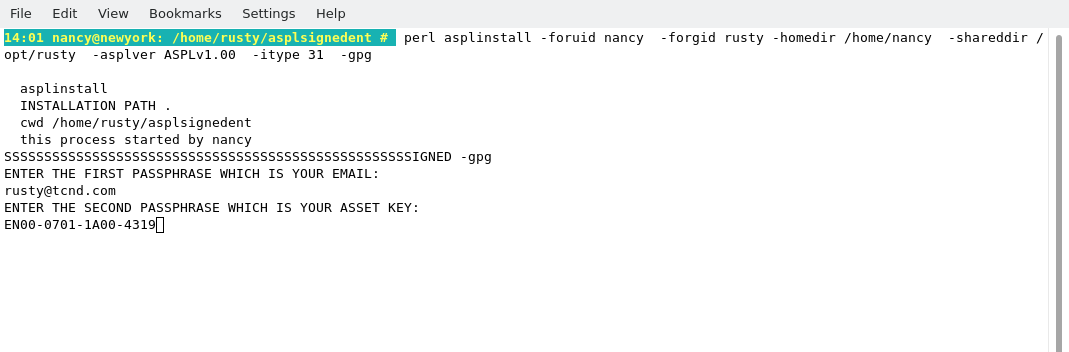
In the README.TXT, we do not need to use the installer command for the standalone (option -itype 1). Since we need to install ASPL for nancy as a SHARED SLAVE installation (-itype 31), we will issue the following command:
# perl asplinstall -foruid nancy -forgid rusty -homedir /home/nancy -shareddir /opt/rusty -asplver ASPLv1.00 -itype 31 -gpg
Notice the options -forgid rusty and -shareddir /opt/rusty so that nancy will share rusty ASPL installation.
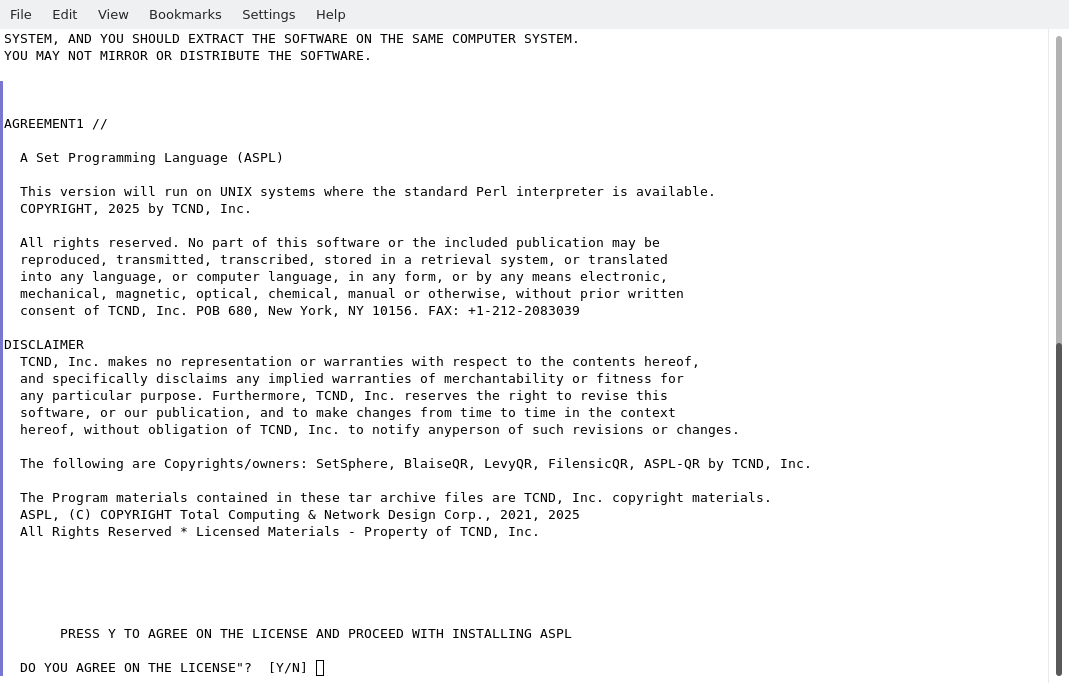
From the README.TXT file, we use the EMAIL and the ASSET KEY when running the installer. Accept the agreement to start the install.
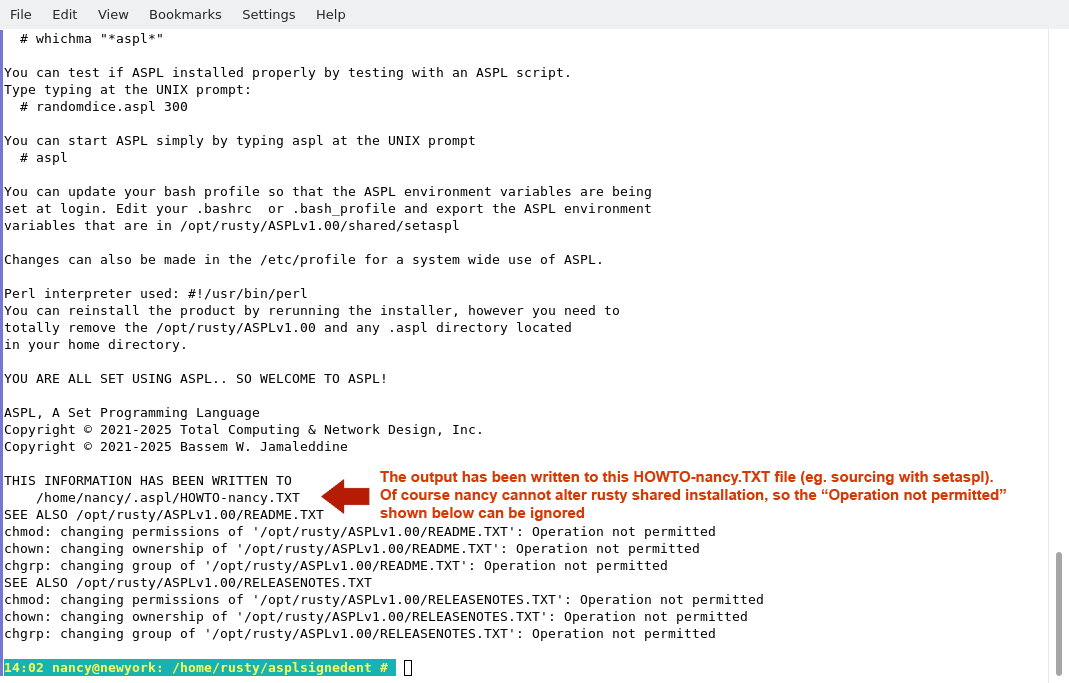
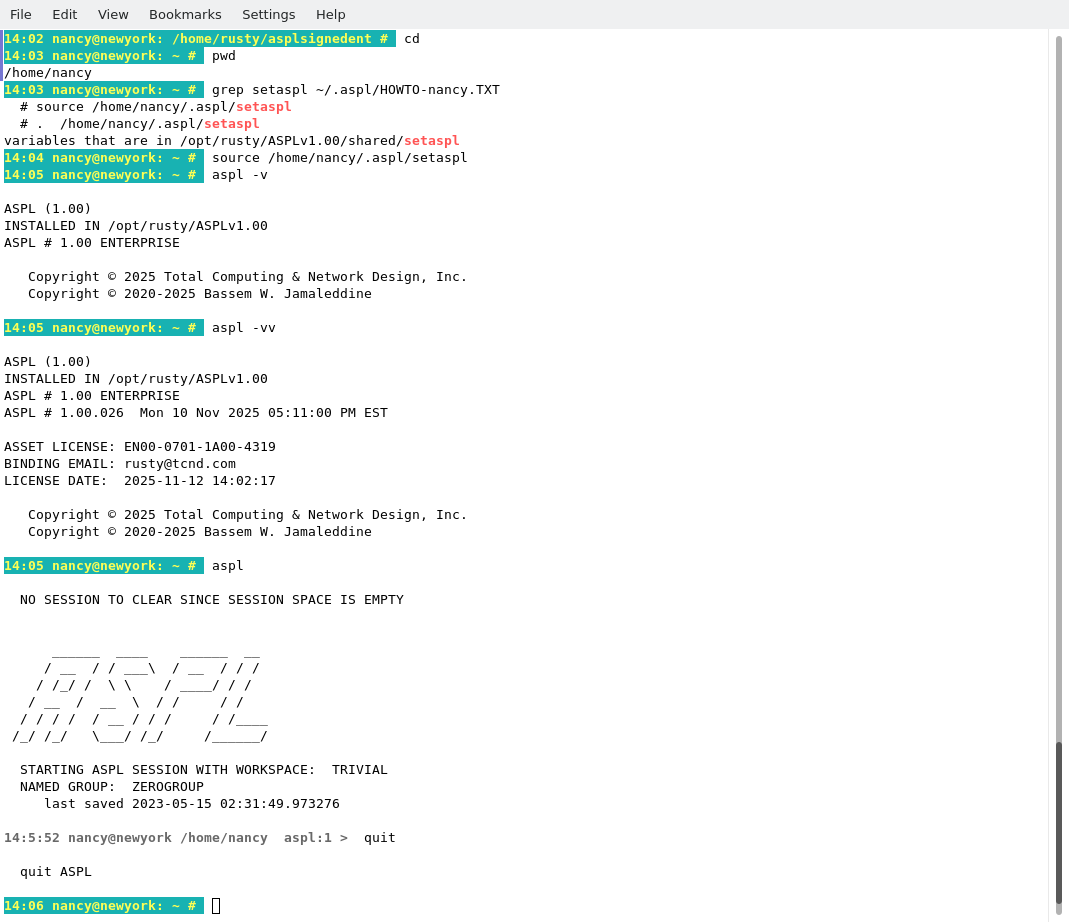
The software is automatically installed as show in the following figure. Pay special attention to the output of the screen, you may need to cut and paste it in your note files. Also, the same output is written to the file HOWTO suffixed with the user name, in this particular case it is in /home/nancy/.aspl/HOWTO-nancy.TXT. In this file, locate the line containing the setaspl command, this will display the command to source the environment and start using ASPL.
The following figure show testing ASPL after sourcing ASPL environment in the shell session. Notice the command aspl -vv showing that the binding license of the install is Euler's, that is because rusty is the MASTER installer.
Now the installation is complete. The user nancy can test the installation. We first locate the command that we need to source the ASPL environment into the current bash session (grep for setaspl in the HOWTO). We source the environment, then start ASPL.
You can display the version of ASPL by entering
# aspl -v
# aspl -vv
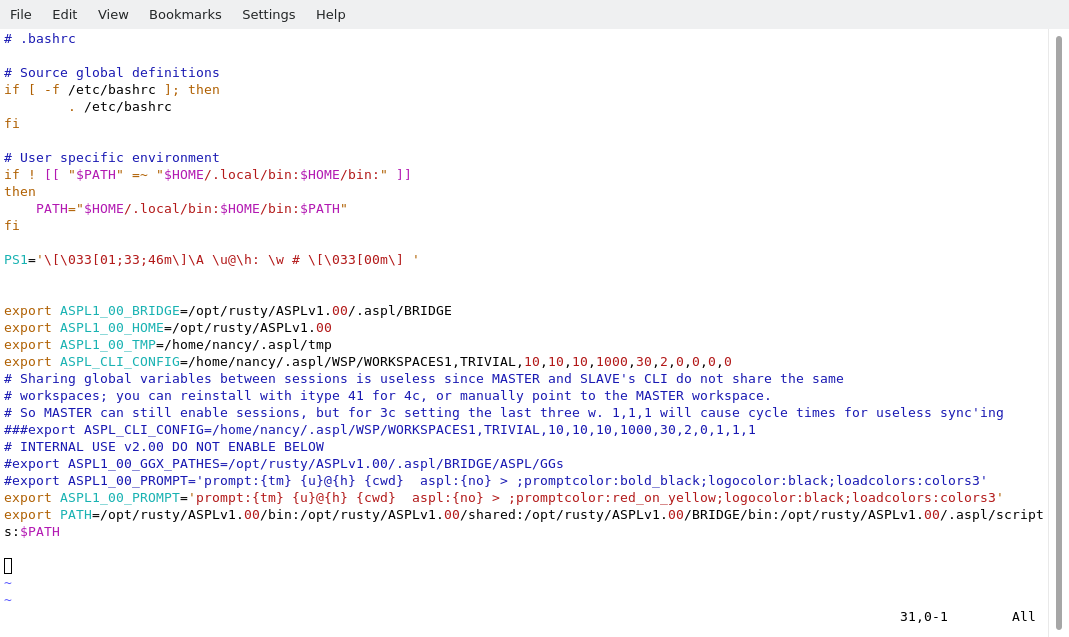
Let's update out .bashrc to include the ASPL environment variables, so they will be available in every session when we ssh to nancy@newyork. We simply edit ~/.bashrc file and add setaspl script content as shown in the following figure. In the export ASPL1_00_PROMPT we changed the color of the promptcolor to lightred so that we can distinguish nancy ASPL sessions.
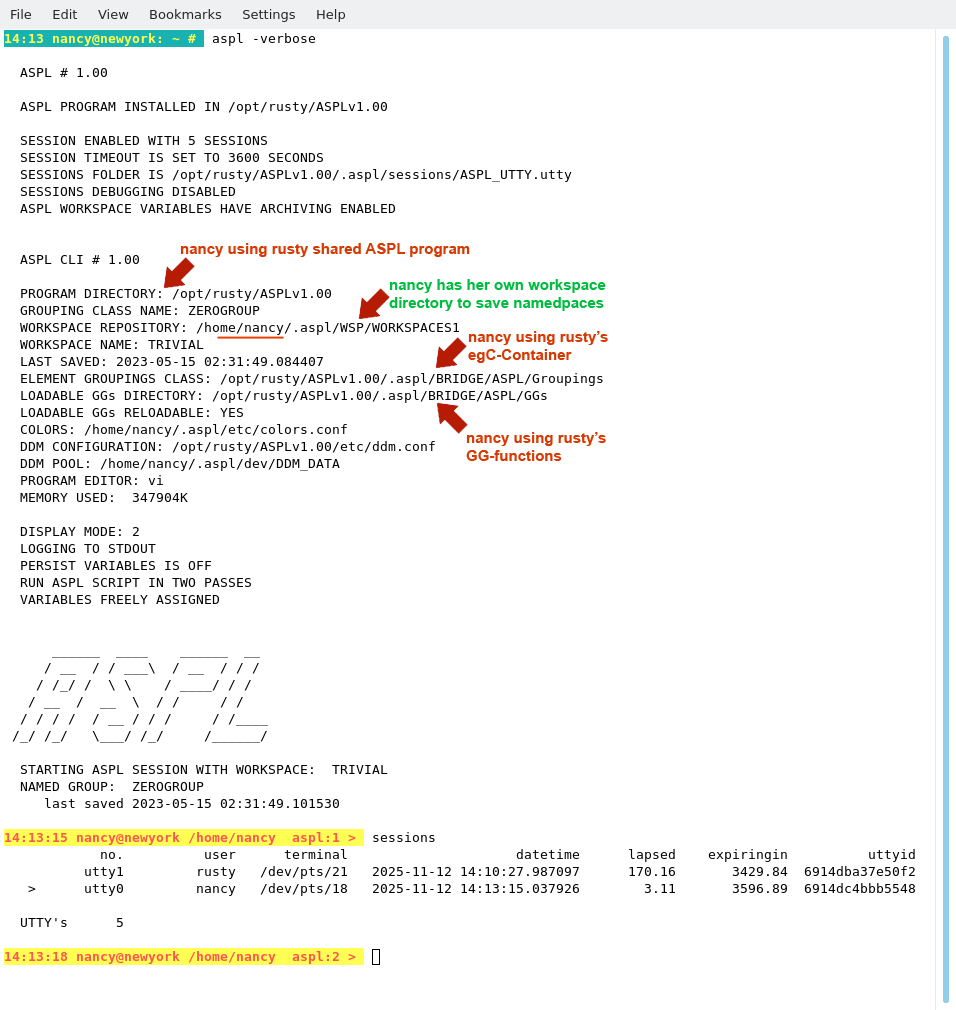
Start ASPL in verbose mode to see how nancy is sharing rusty containment, but not the worskapce directory. nancy's namedspaces are separate from rusty's. nancy can use rusty GG-functions and grouping classes, but will not be able to create or delete anything from rusty's containment.
Now we logout from nancy, then login again, and start ASPL. The following figure shows nancy's ASPL started at the shell prompt. We issue the ASPL command
aspl> sessions
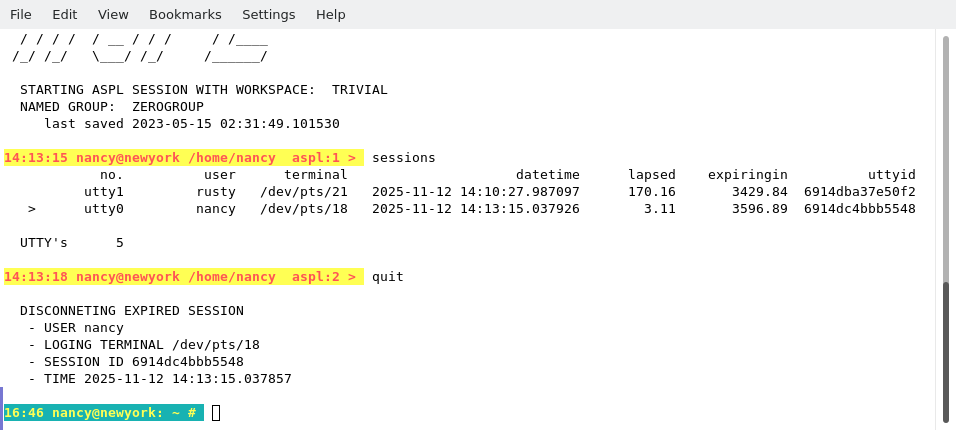
THIS COMPLETE THE INSTALLATION AS -itype 31 (or 3c or 3CLI)
■ How to Remove ASPL for nancy
Removing ASPLv1.00 is simply done with two commands. For example, userid nancy logins to the UNIX system and issues the following commands to remove ASPLv1.00
# su - nancy
# rm -rf ~/.aspl
# rm -rf ~/ASPLv1.00