ASPLMQ User Guide v 1.00
© 2026 Bassem W. Jamaleddine
Visual comparisons for IBM MQ channel configuration drift are rendered by applying ASPL operators to the differential group variables representing the channels. Additionally, ASPL monitoring operators can trigger real-time email alerts to notify designated recipients immediately when a change is detected. This section explains how to use ASPL to detect channel changes in a clustered IBM MQ qmgr. The first part introduces the clustered_delta_channels.aspl script, which detects channel changes across the group union of the queues in the clustered TESTA qmgr installed on hosts nynymq and vavamq. The second part explains how to use the ASPL playchanges command with differential group variables to visualize channel configuration changes over time. The third part introduces monitor_clustered_delta_channels.aspl, which performs the same change detection but appends a feature to email change reports to specified recipients. The scripts and ASPL sessions discussed in this section depend on the IBMMQ_CHANNELS_GROUP metagrouping class created in Section "Grouping Class for IBM MQ Channel Attributes".
ACME Co. configured the TESTA qmgr on hosts nynymq and vavamq. Initially, the channel objects on both hosts must be identical. Validate this configuration using the following command:
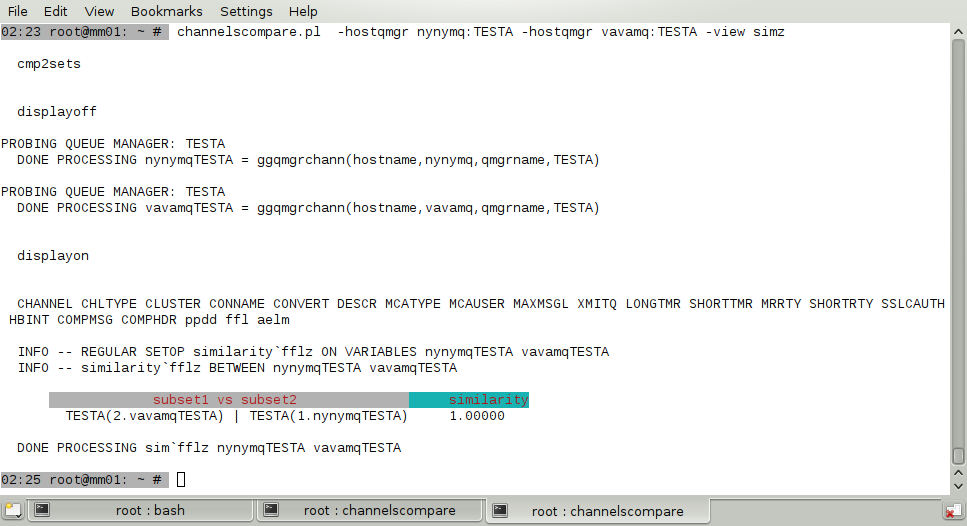
# channelscompare.pl -hostqmgr nynymq:TESTA -hostqmgr vavamq:TESTA -view simz
Run the channelscompare.pl script (viewing the union of elements) to verify that the channel configurations match on both hosts.
# channelscompare.pl -hostqmgr nynymq:TESTA -hostqmgr vavamq:TESTA -view funion
Adding the attribute ALTTIME to the ks-vector causes the union of elements shown in Figure 3.3.3 to be all marked in red. The ALTTIME values differ between the queue managers because they were configured at different times.
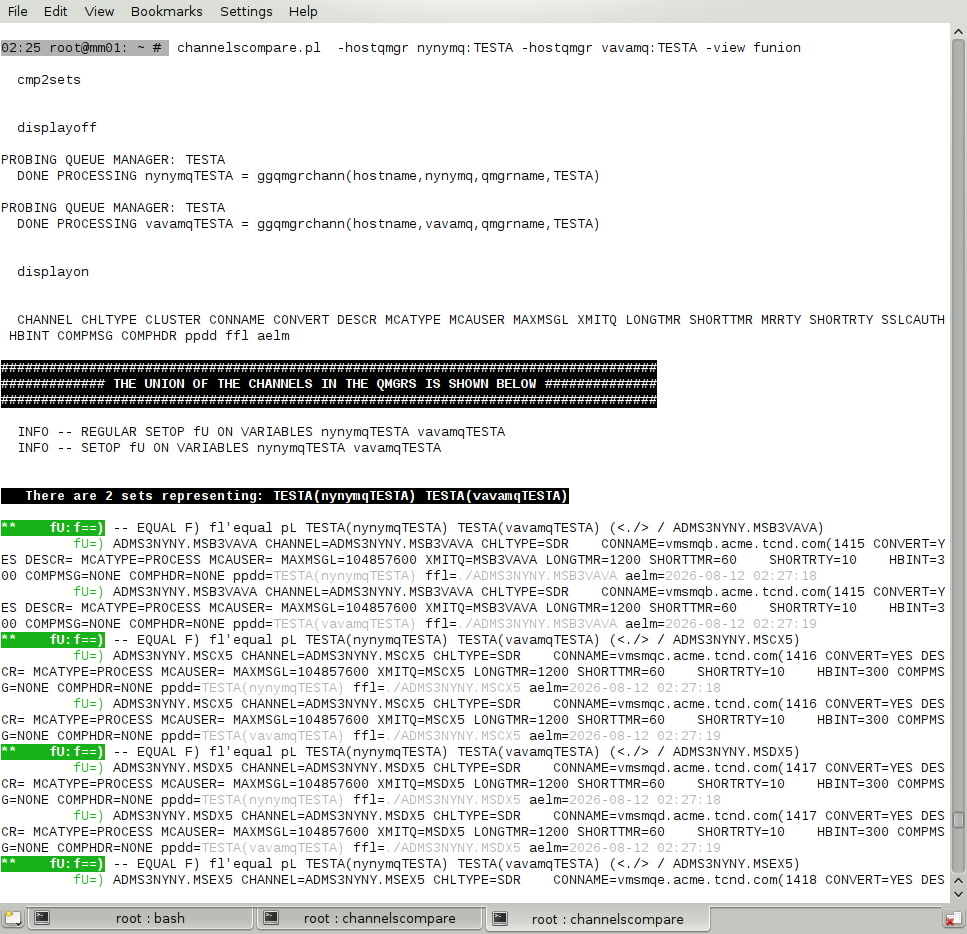
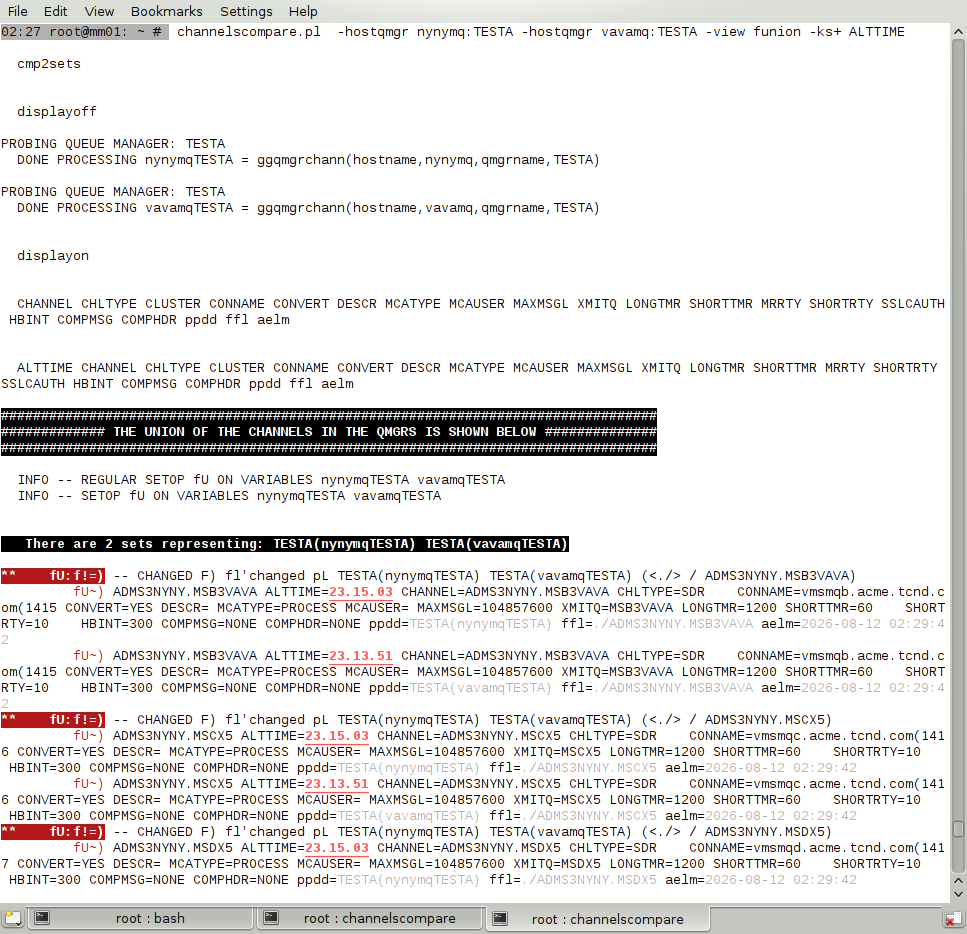
Display 3.3.1 shows the ASPL commands executed by the channelscompare.pl script when comparing the clustered TESTA qmgr prior to any channel configuration changes.
# channelscompare.pl -hostqmgr nynymq:TESTA -hostqmgr vavamq:TESTA -view funion
■ Detecting Channel Configuration Change in a Clustered Qmgr
The clustered_delta_channels.aspl script, shown in Listing 3.3.1, detects channel changes within the clustered TESTA qmgr.
This section is not included in the SAMPLE PREVIEW.
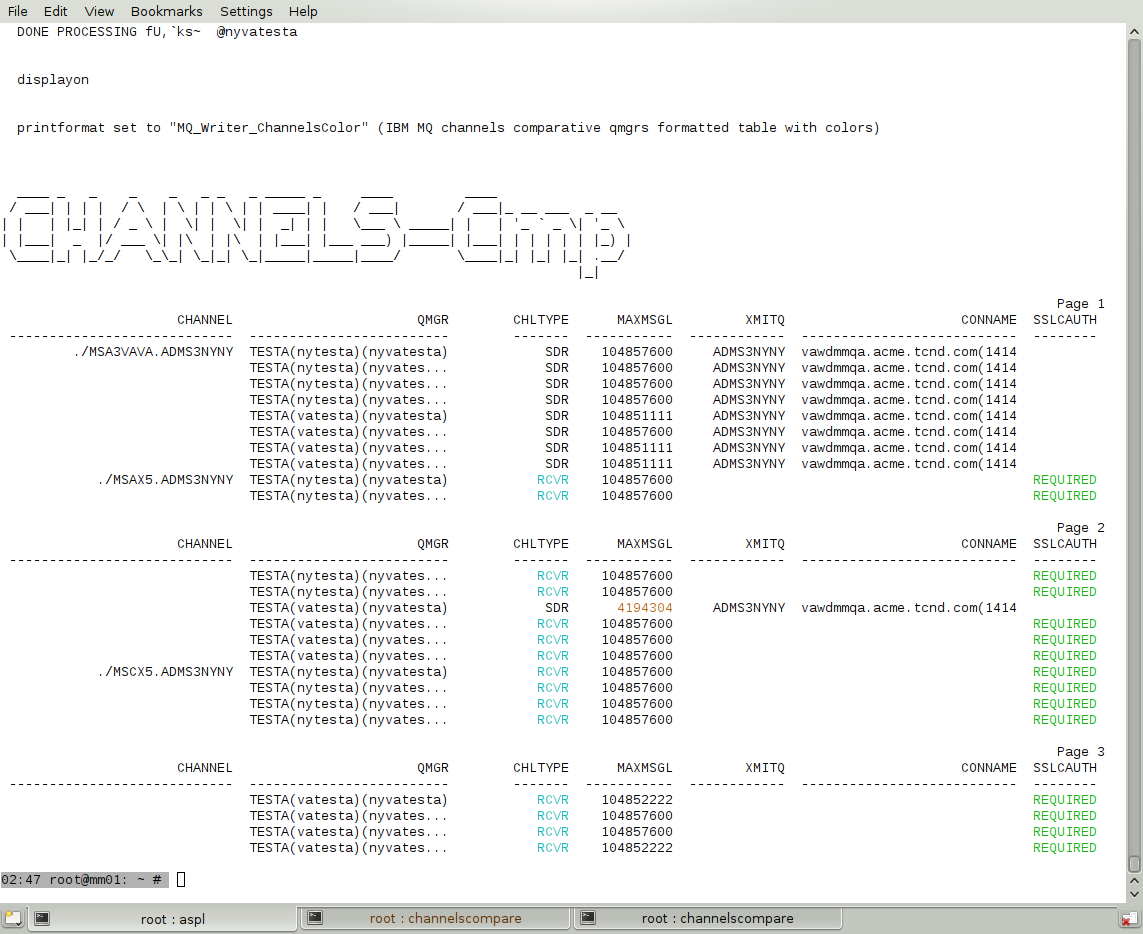
Since nyvatesta depends on the variables nytesta and vatesta, invoke the script clustered_delta_channels.aspl on each of these two variables. ASPL treats the dependent variables as differential group variables, and any change in their state is reflected in Display 3.3.5.
■ Playing the differential group variable to view the changes in the channels of TESTA chronogically
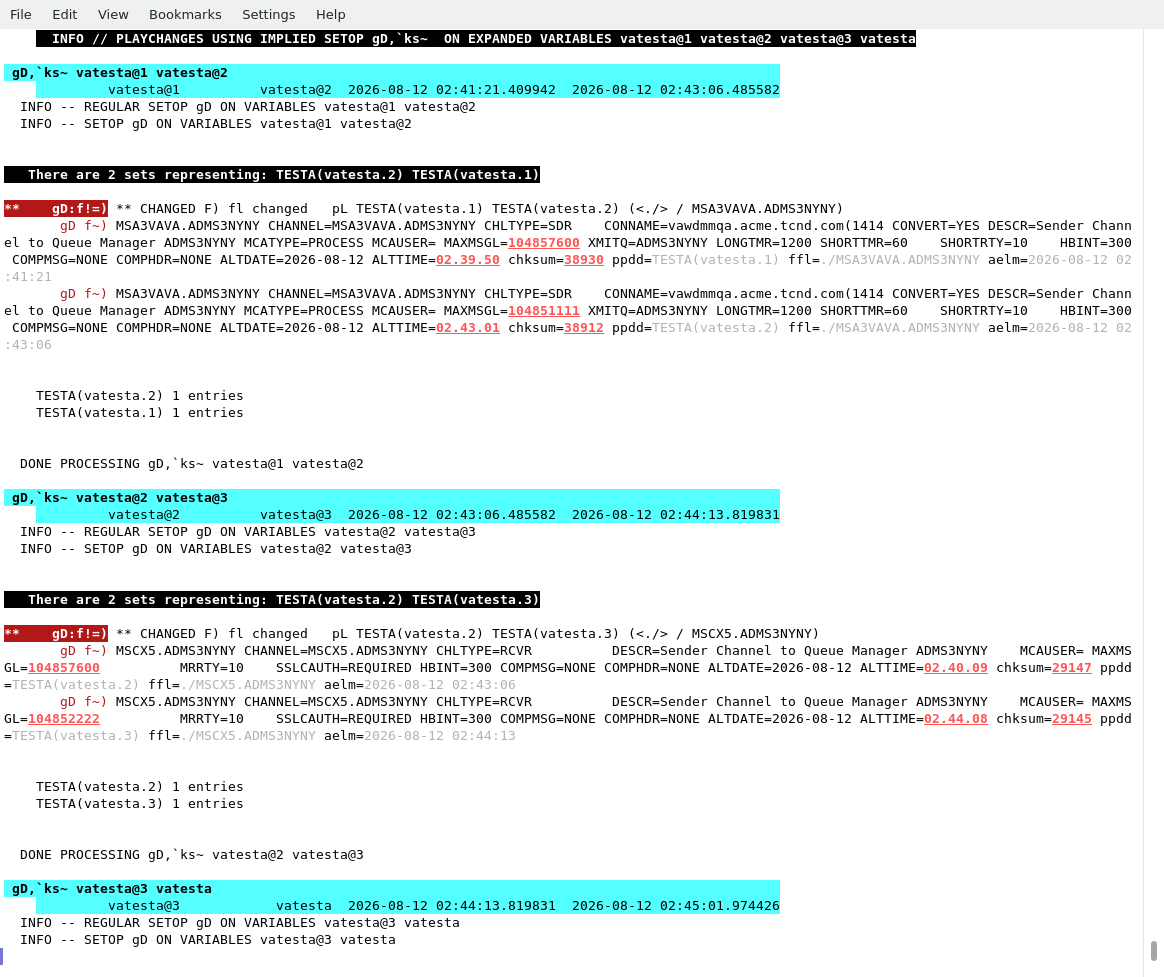
In ASPL, the playchanges operator visualizes delta changes within a differential group variable. Because the vatesta variable tracks the channel states for the TESTA qmgr hosted on vavamq, display its three recorded modifications by running the following command:
# asplcmd "load CLUSTERED_TESTA_CHANNELS; intermittentarc 1; playchanges vatesta"
This section is not included in the SAMPLE PREVIEW.
■ Sending Email Notification on Channel Configuration Change
This section is not included in the SAMPLE PREVIEW.