ASPL Installation Guide v 1.00
© 2025 Bassem W. Jamaleddine
ASPL is a licensed software. Once you have purchased a license, you can proceed installing the product as shown in this document. ASPL Standard installation is similar to the one described in "HOW-TO INSTALL ASPL", as it is a single-user installation. However, the ASPL Standard is limited to the single-user installation.
The installation consists of only few commands: copying the distribution to a temporary directory, extracting the distribution, and running the installer.
The following installation is termed ASPL install with itype 1 to refer to a single-user installation of the ASPL distribution. It applies to any of one of the three ASPL distributions: ASPL Standard, ASPL Professional, or ASPL Enterprise.
The following section consists of eight figures detailing ASPL Standard installation procedure for the UNIX userid rosa.
■ How-to Install the ASPL Standard as Standalone Installation
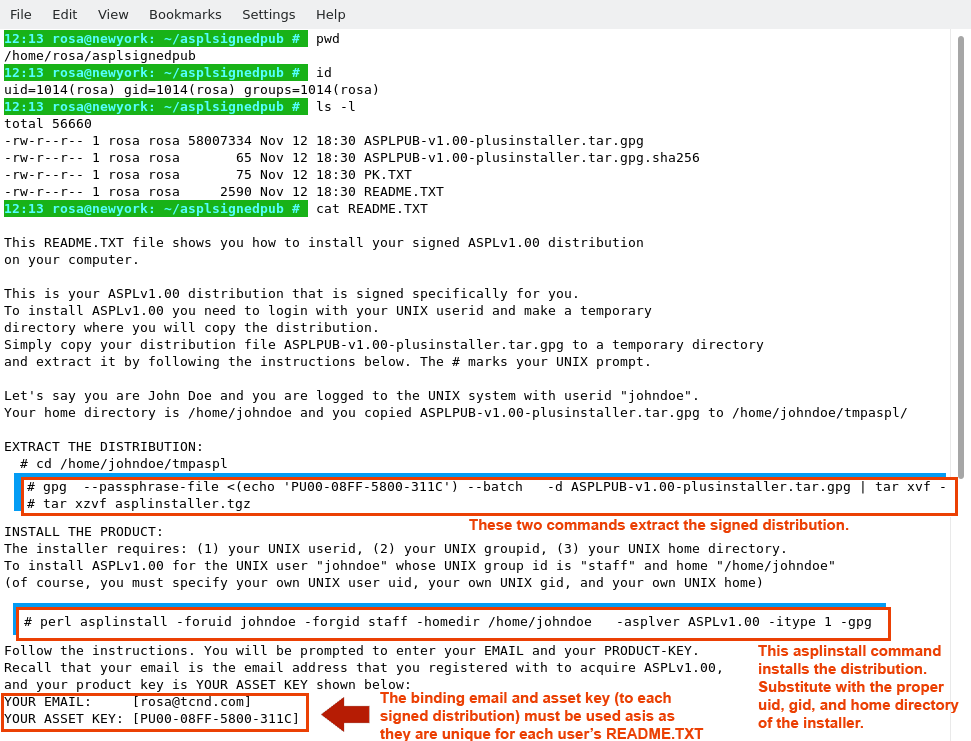
Copy the signed distribution file along the README.TXT to a directory. The following figure shows the user 'rosa' who copied the distribution into her UNIX home directory in ~/asplsignedpub. The contents of README.TXT is also shown. The README.TXT file contains three essential commands to fully install ASPL: the first two commands extract the product distribution, and the third install it.
Each user has a different README.TXT file, so you need to copy the command
from your own README.TXT that you downloaded along your signed distribution.
from your own README.TXT that you downloaded along your signed distribution.
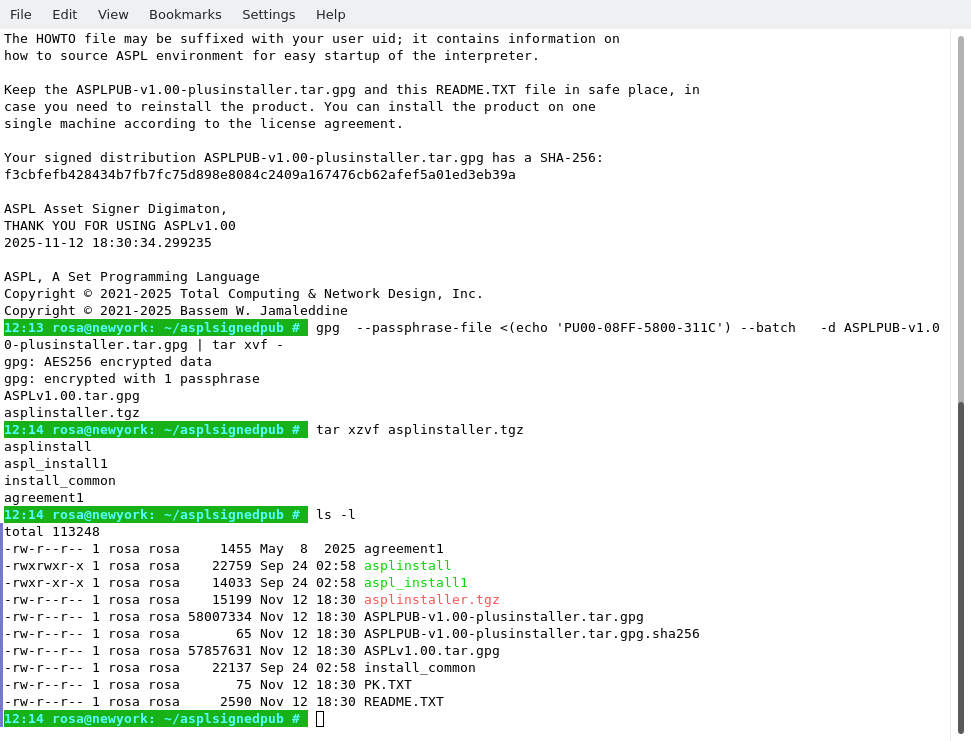
The following figure shows how rosa extracted the signed distribution and the asplinstaller.tgz.
# tar xzvf asplinstaller.tgz
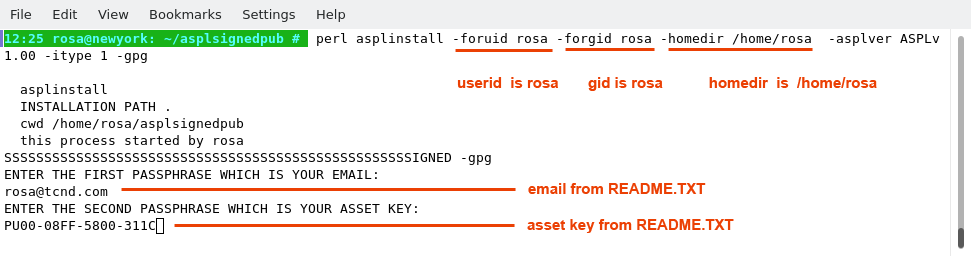
In the following figure we show the command to install the product for the userid rosa whose gid is rosa, and her home directory is /home/rosa.
The README.TXT file shows two license binding entries: the first is shown on the line starting with "YOUR EMAIL", and the second is shown on the line starting with "YOUR ASSET KEY". The email and the asset key are required to install your software. For this installation example, rosa proceeded by entering her email and her asset key, both of which are shown in her README.TXT.
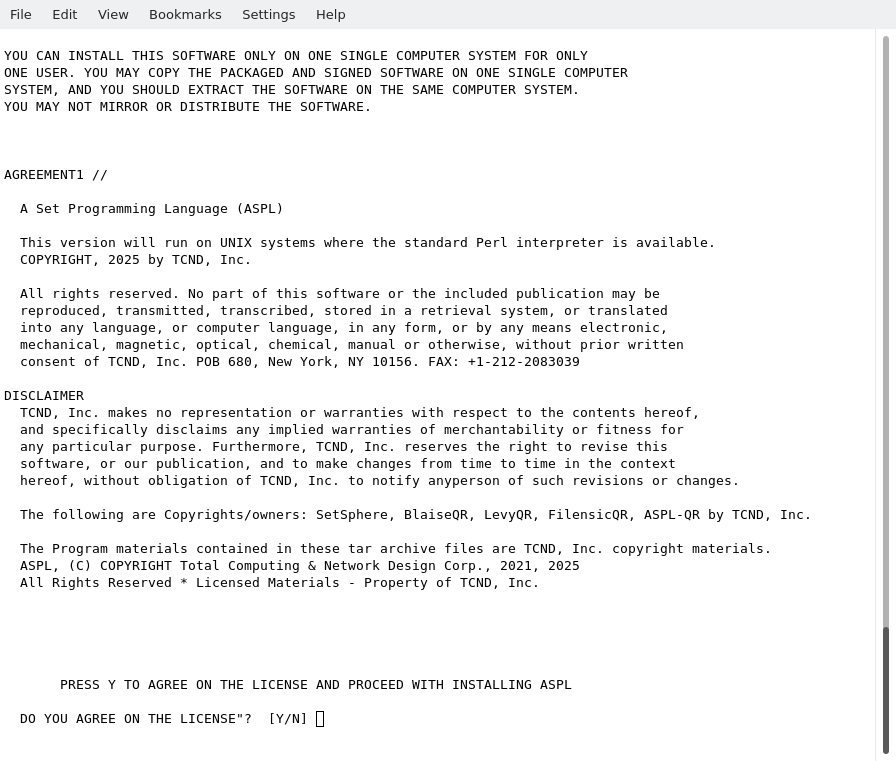
To proceed with installation, rosa accepted the disclaimer by answering Y, as shown in the following figure.
The following figure shows the final output of the installer after completing the installation. When you run the installer, pay special attention to the output written on the screen, where you will find valuable information on how to source ASPL environment, and test your installation. The same output is written to the file HOWTO suffixed with the user name, in this particular case it is in /home/rosa/.aspl/HOWTO-rosa.TXT.
For anyone running the installer, this file will be suffixed with the user's name.
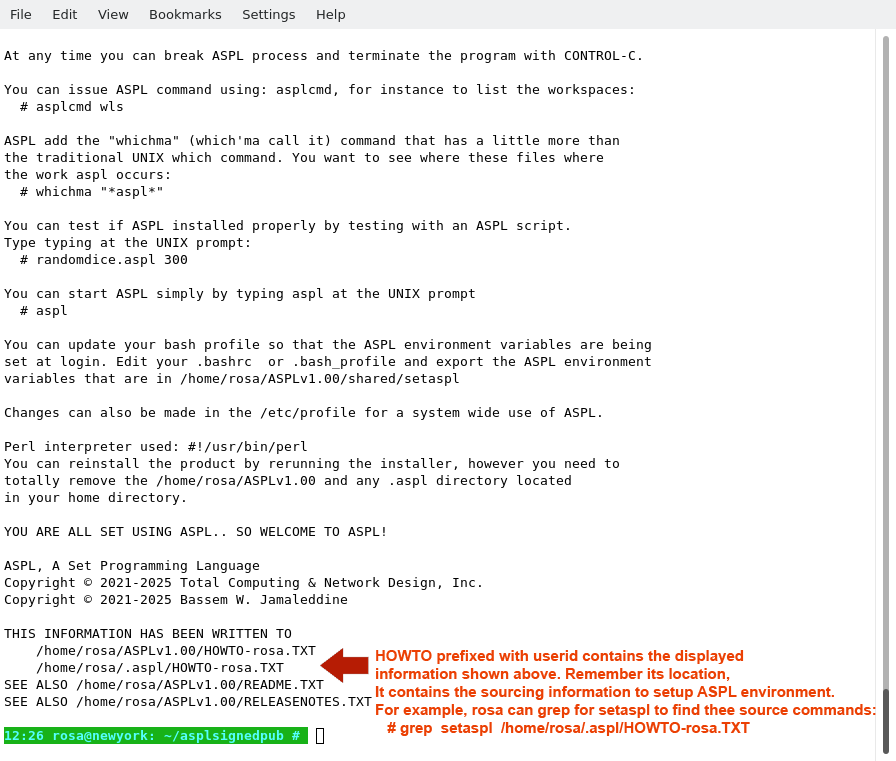
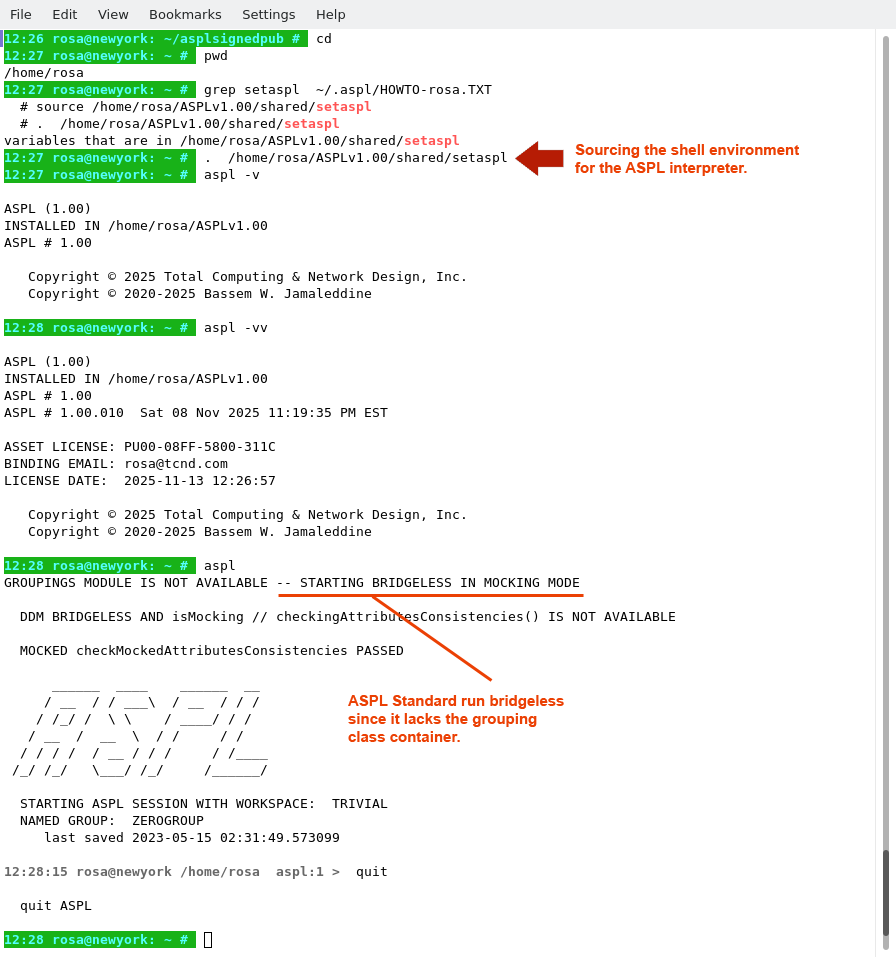
rosa wants to test if the installation was successful by starting the interpreter. rosa needs to locate the sourcing command in get HOWTO-rosa.TXT file, looking for the lines containing the source command (or its equivalent dot command); she needs this command to source the environment and start using ASPL.
The simplest way to locate the source command:
# grep setaspl ~/.aspl/HOWTO-rosa.TXT
The figure shows how rosa sourced the bash environment and started using ASPL.
# aspl -v
display the version of ASPL
# aspl -vv display the license and build of ASPL
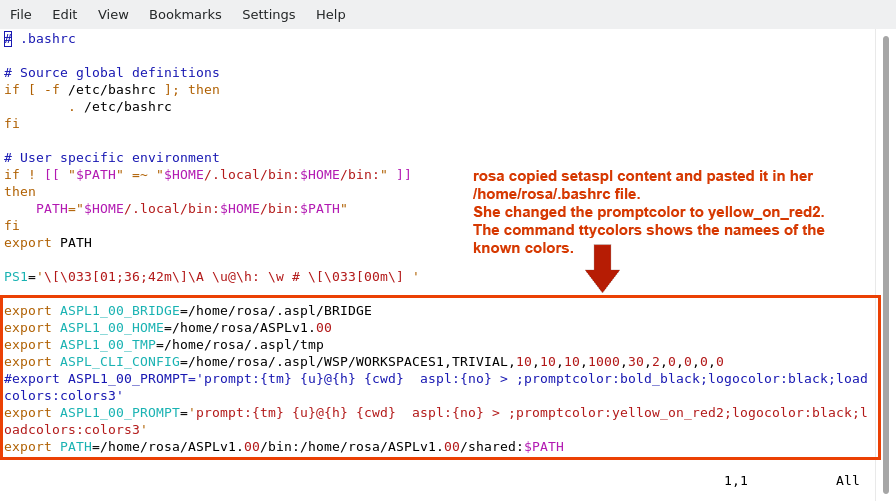
To have ASPL environment variables available upon login, you can copy the setaspl contents to your shell profile, so that the ASPL environment variables are being exported in your shell environment.
Ask your system administrator on how to make changes in your .bashrc profile.
The following figure shows how rosa added the contents of /home/rosa/ASPLv1.00/shared/setaspl to her ~/.bashrc file.
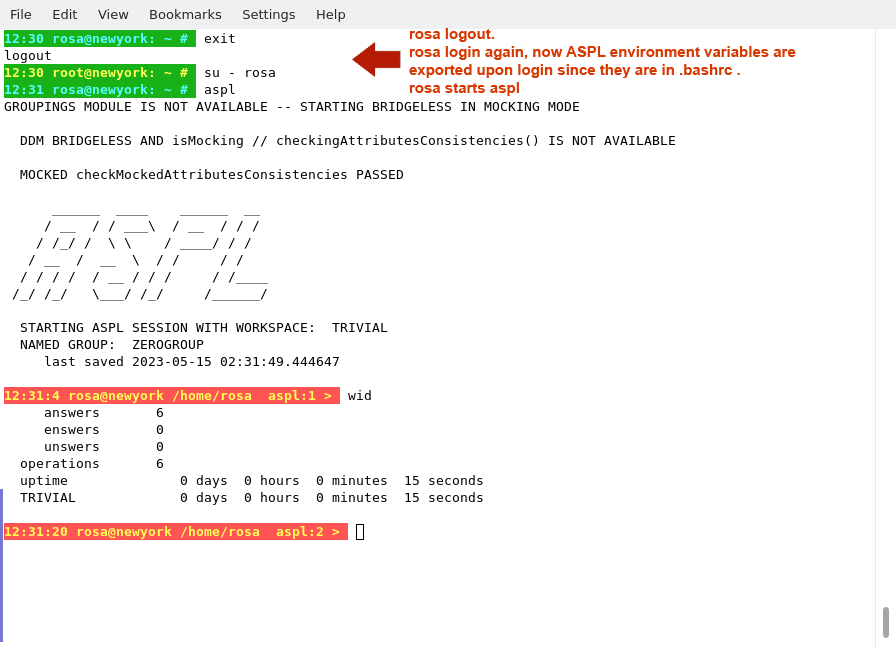
This final figure shows rosa exiting, login again, and starting the ASPL interpreter.
THIS COMPLETE THE INSTALLATION OF ASPL STANDARD
■ How to Remove ASPL
Removing ASPLv1.00 is simply done with two commands. For example, userid rosa logins to the UNIX system and issues the following commands to remove ASPLv1.00
# su - rosa
# rm -rf ~/.aspl
# rm -rf ~/ASPLv1.00