ASPL Installation Guide v 1.00
© 2025 Bassem W. Jamaleddine
The user euler installed ASPL to be shared with other users; euler is the COLLABORATIVE MASTER installer. The two users: pascal and moran, installed ASPL to use the shared installation of euler's; they are COLLABORATIVE SLAVE installer.
All three users updated their .bashrc to export ASPL environment variables so they start ASPL by entering aspl at the command prompt, upon login.
This section shows how the three users can collaborate by using the set operations on objects defined, or to be created in one common namedspace. To keep things simple, we show the startup of ASPL with the default namedspace TRIVIAL, then we will issue some set operation on set variables defined within the namedspace TRIVIAL.
The user euler uses ASPL as COLLABORATIVE MASTER to share the installation in a shared directory (accessible by the UNIX group gid euler): /opt/euler/. The users moran and pasca use ASPL as COLLABORATIVE SLAVE to the shared installation of euler.
The next section consists of thirtenn figures showing the sessions (as being managed by ASPL) of the three users, and how the symbol table and answer stack can be seen by all three users while being in session.
■ Testing the Collaborative Calculator
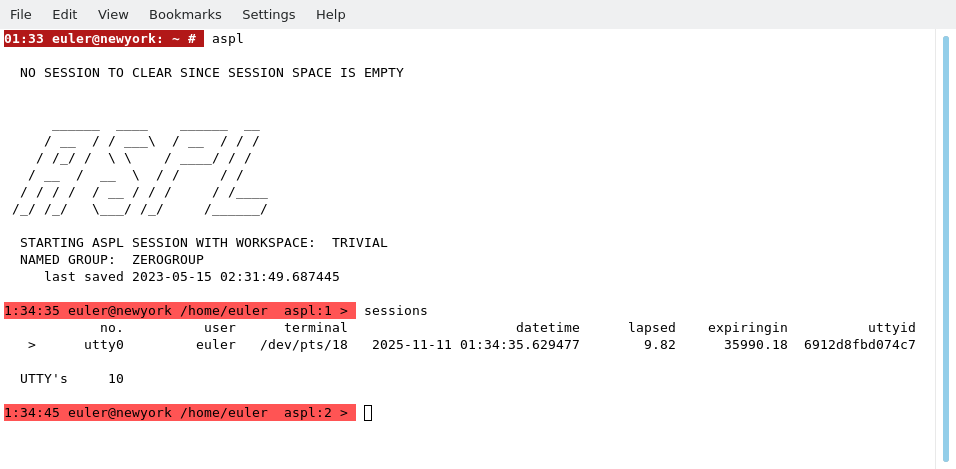
euler started ASPL and issued the command sessions to see the active sessions. Since euler is the first to login, then only one session (his session) is shown.
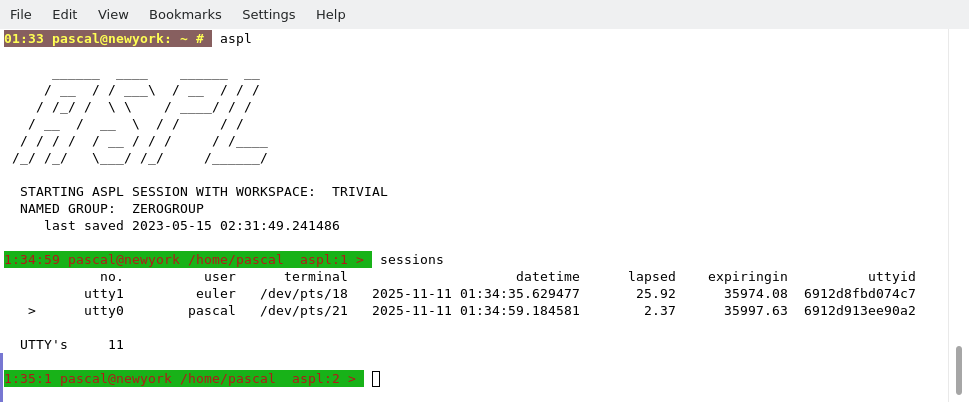
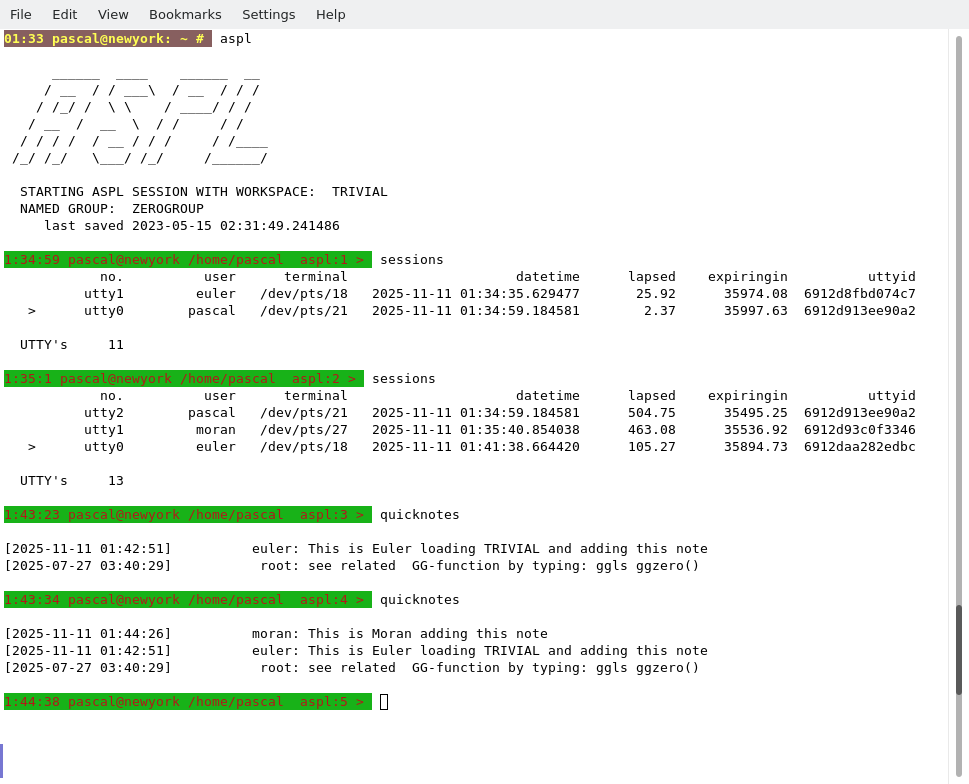
Next, pascal started ASPL and issued the command sessions to see who is in session. Here, pascal can see euler session, and his session.
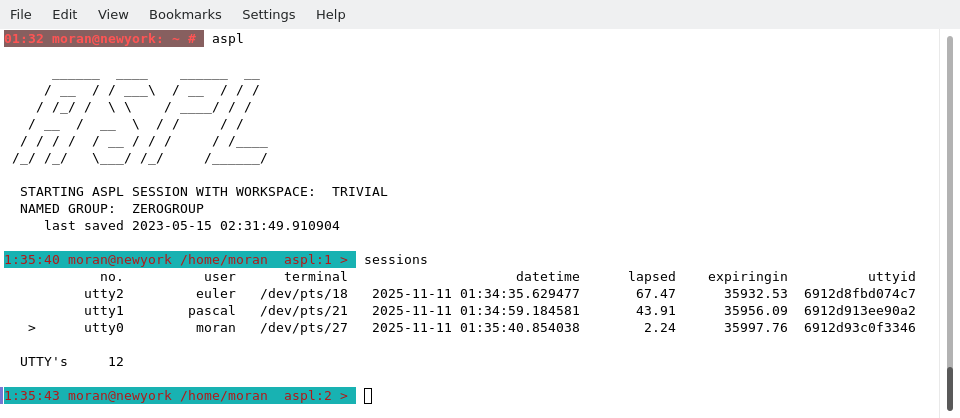
Next, moran started ASPL and issued the command sessions to see who is in session. Here, moran can see all three sessions: euler's, pascal's, and his own session.
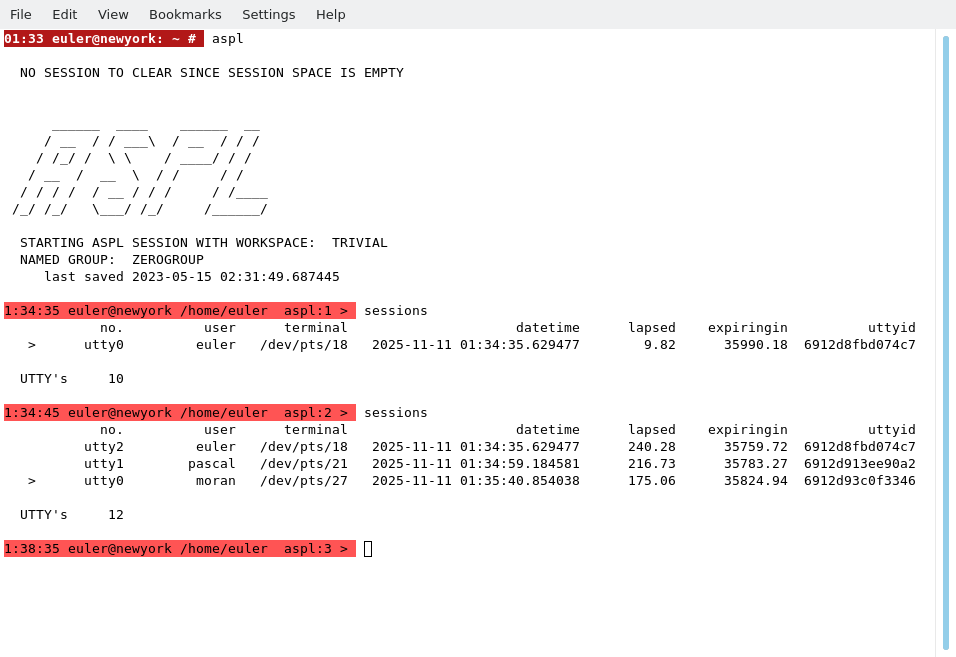
euler seeing who is in session once again, after pascal and moran started their own ASPL sessions.
Note that the order of whoever login first is not important. The illustrations
shown here have been displayed in this order to simplicy explanation.
shown here have been displayed in this order to simplicy explanation.
euler quit ASPL, started ASPL it again, issued sessions to see who is in session, and in a final command: euler added a quicknote.
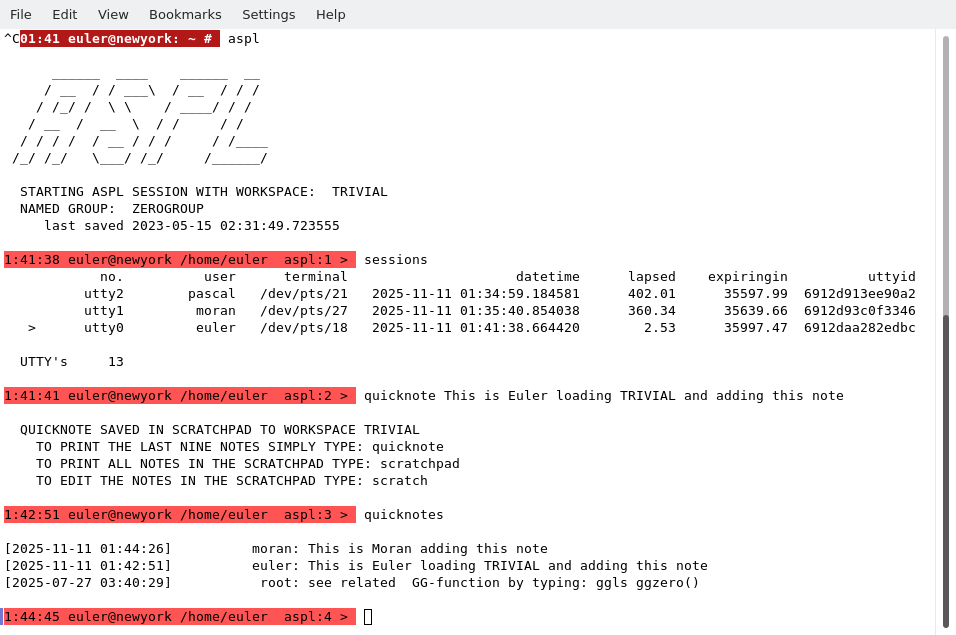
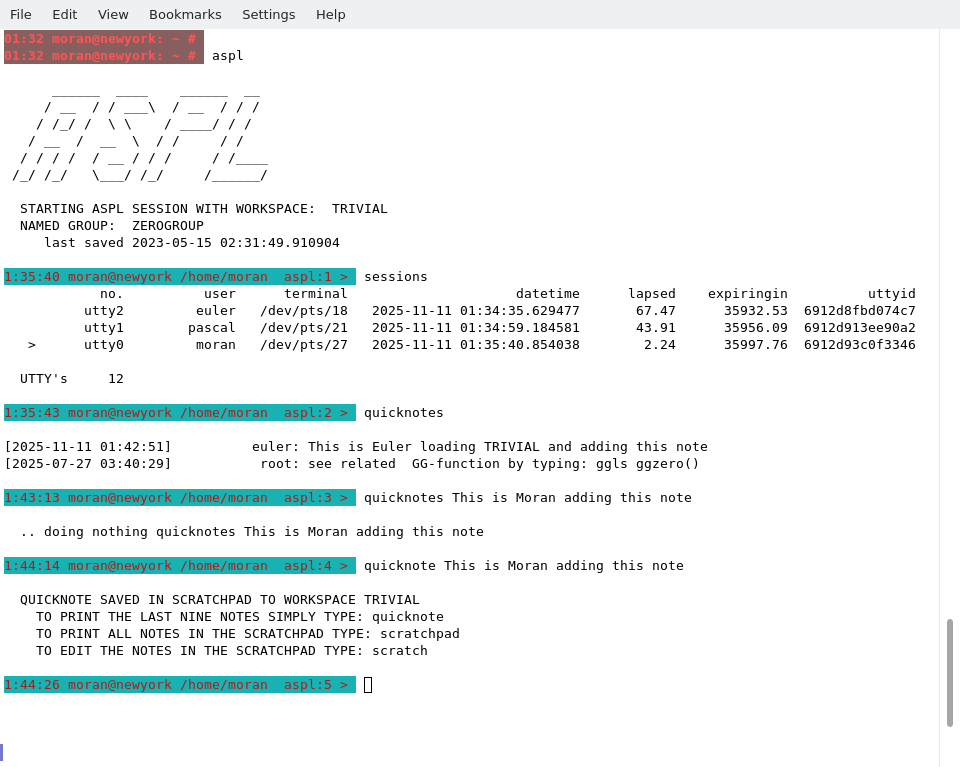
moran can see euler quicknote. moran also added a quicknote.
pascal can see euler and moran quicknotes.
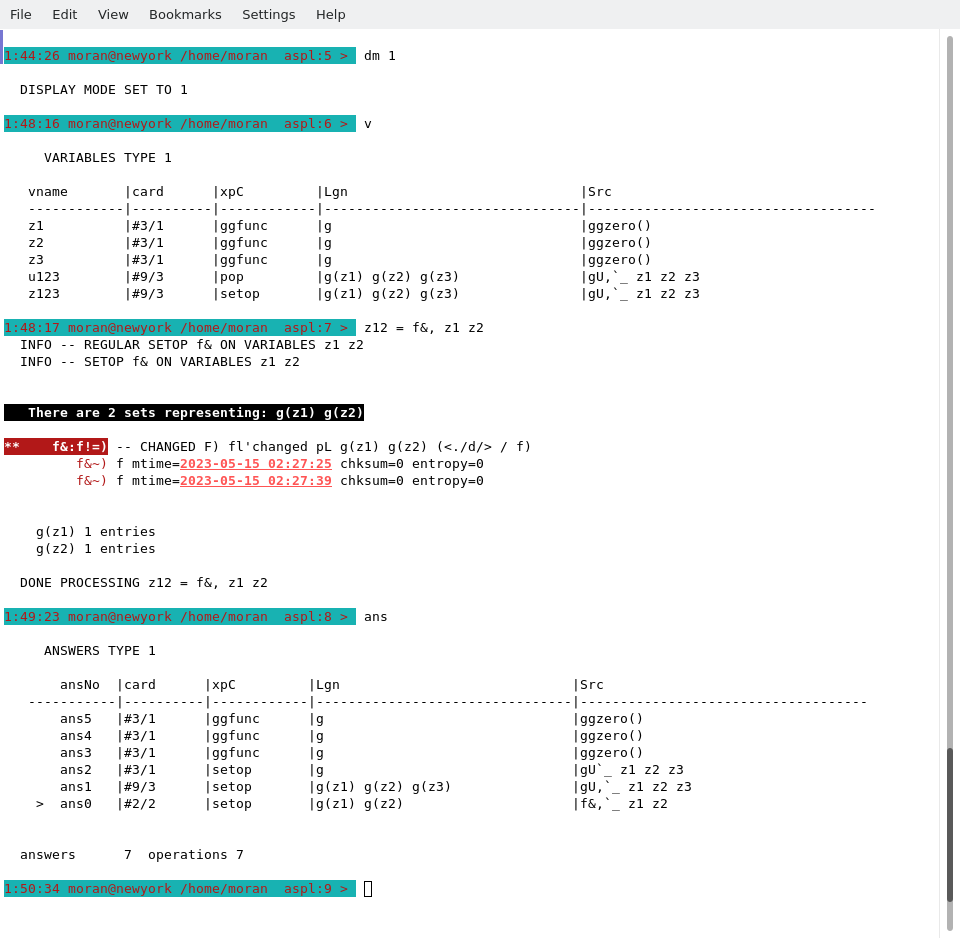
moran issuing the operation z12 = f&, z1 z2, then displaying the symbols table and the answer stack.
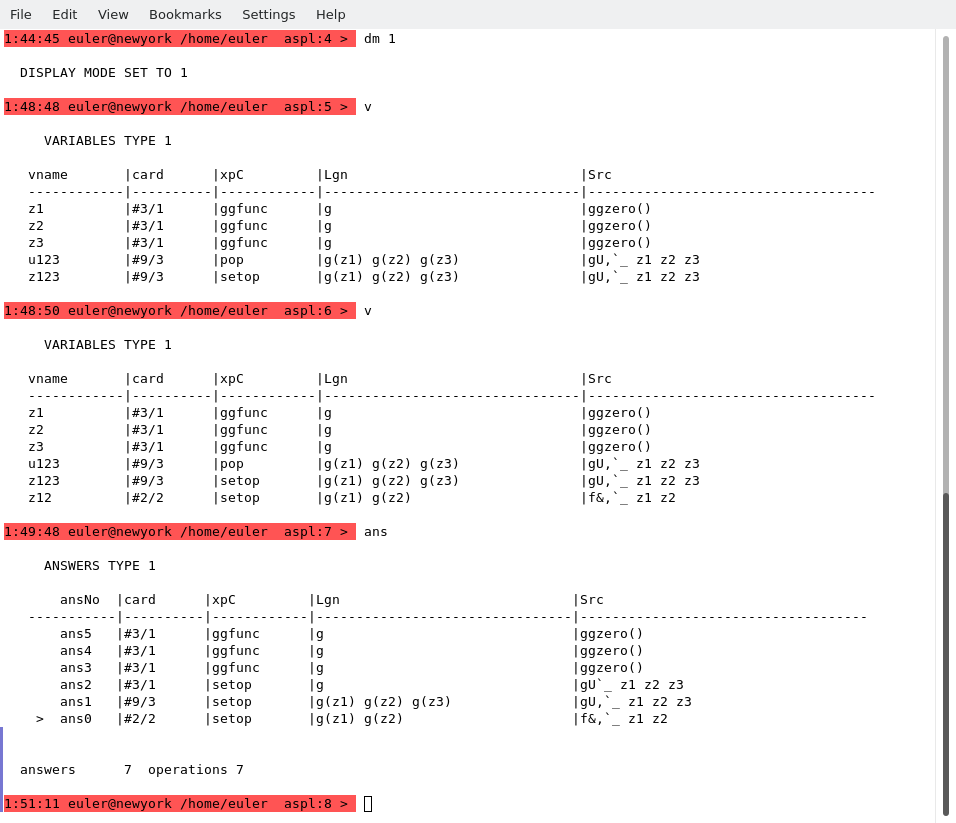
euler can see the operation issued by moran; the symbol table and the answer stack are the same as the ones seen by moran.
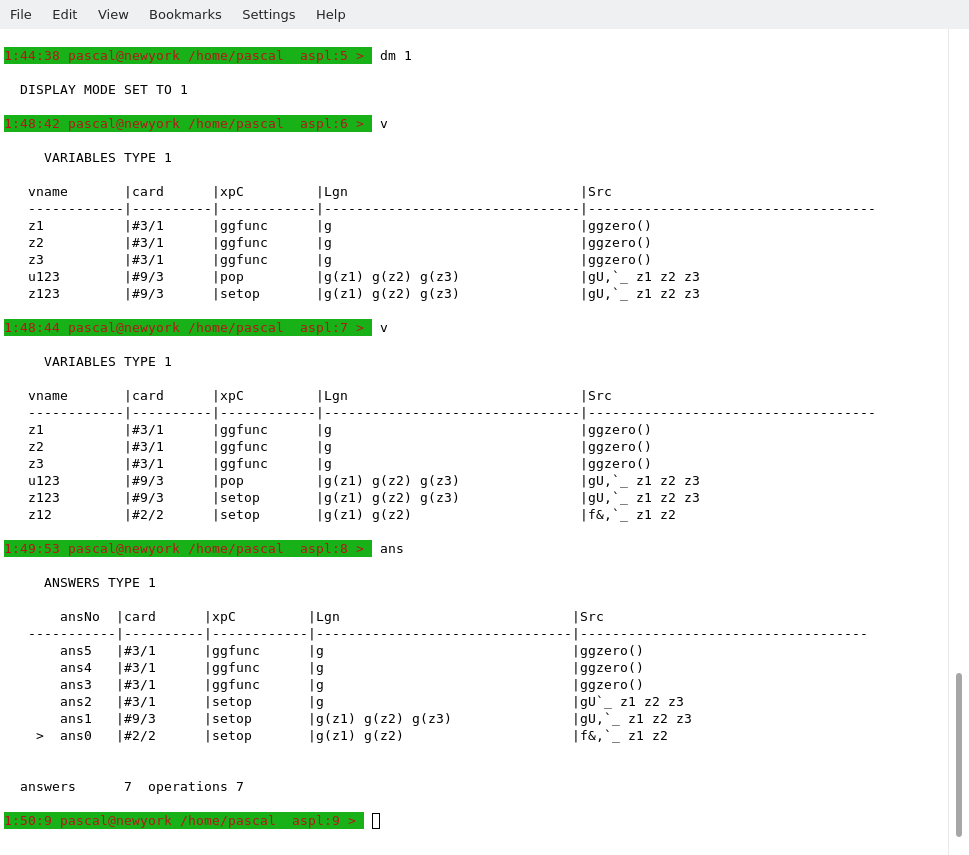
pascal can see the operation issued by moran; the symbol table and the answer stack are the same as the ones seen by moran.
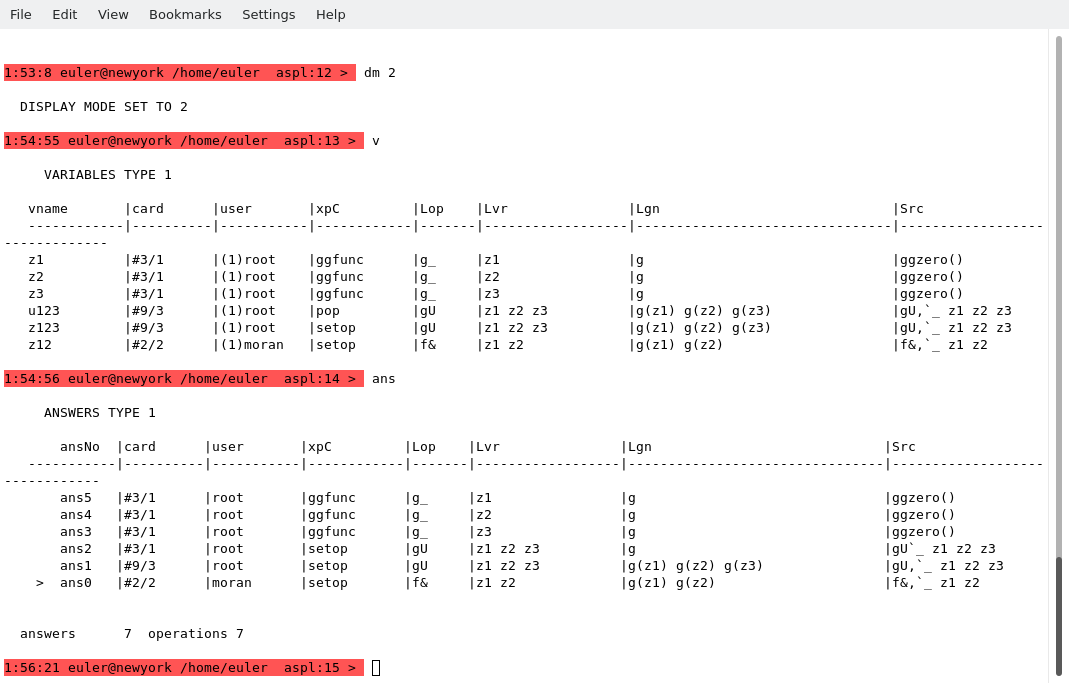
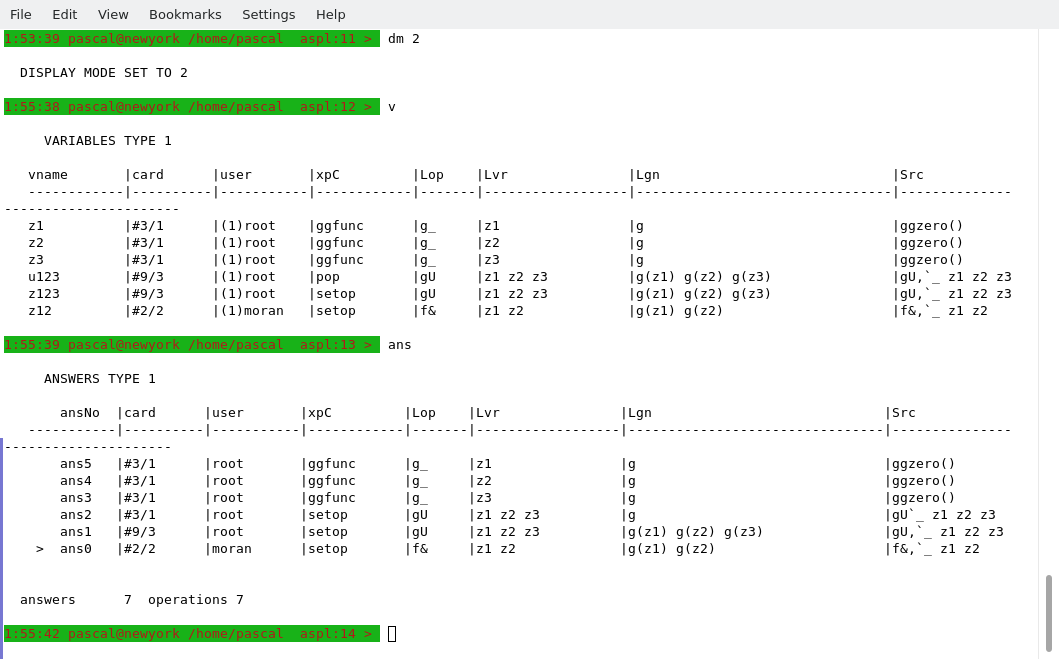
Set display mode to 2, and display the symbol table and the answer stack. This reveals the user who issued the operation on the set variables or objects in the stack.
euler displaying the symbol table and answer stack. The set variable z12 was set by user moran.
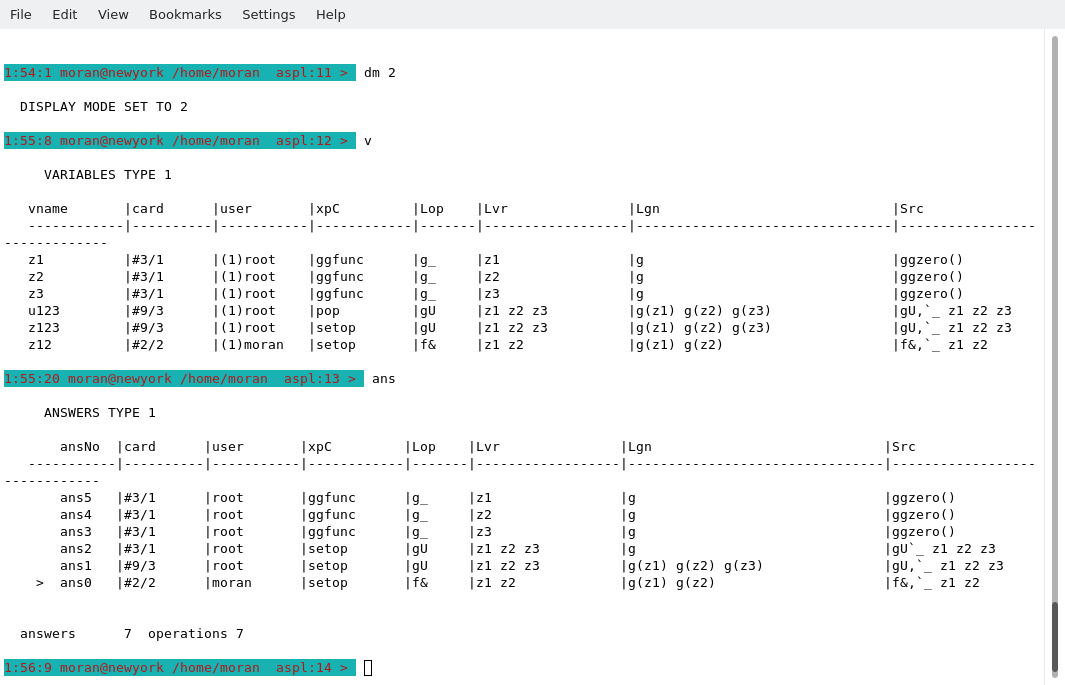
moran displaying the symbol table and answer stack. The set variable z12 was set by user moran.
pascal displaying the symbol table and answer stack. The set variable z12 was set by user moran.
END OF TESTING ASPL AS A COLLOBORATIVE CALCULATOR